Four Tools That Help Your Student's Get 100's of Swith Hit's a Day
In this session you will learn about four different switch activities that you can utilize to create opportunities for you switch users to get 100's of switch hits a day. These activities are designed with engagement and participation in academics, play, and leisure in both general education and special education settings. Having opportunities to develop switch skills with activities incorporating repetition with variety improves a student's access method to become more automatic. These four activities help students develop motor skills necessary for point or step scanning, as well as mouse emulation.
Speaker
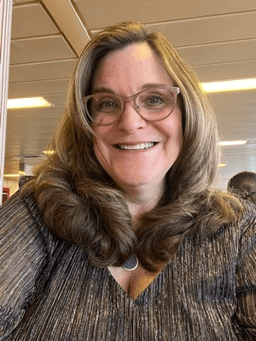
Heidi G. Brislin, MS-OTR/L is a dedicated Occupational Therapist and Assistive Technology Specialist making a significant impact in the Edmonds School District in Washington. As the owner of Heidi Brislin OT Consulting in Kingston, WA, she offers a range of services including professional development sessions, family consultations, team training, assistive technology evaluations, and power wheelchair evaluations. With a wealth of experience in school-based practices and adult rehabilitation, Heidi is a graduate of both Boston University and the University of Washington. Her passion lies in empowering teams to create authentic learning experiences for all children. She focuses on enhancing literacy skills, facilitating switch access, promoting power mobility, and helping children become confident, autonomous communicators.
Built for you
Who this course is for
Every minute is written for working clinicians, educators, and families. You walk away with real-world tools to try with your next learner, not abstract theory.
Speech-Language Pathologists
Occupational Therapists
AT Specialists
Educators
After this course
What you’ll walk away with.
You leave with concrete skills and frameworks you can apply in your next session, classroom, or family visit, not just ideas to think about later.
Earn your CEUs
Attend the full course and pass the post-session assessment at 80% or higher. Your 0.1 ASHA CEUs are reported to ASHA when you opt in on the assessment.
- 01
You’ll be able to
List an example of when to use a voice output switch, spinner, pouring tool, and Powerlink.
- 02
You’ll be able to
Describe three different engaging switch activities that can be incorporated throughout the school day.
- 03
You’ll be able to
Describe at least two ways to practice switch activation 200-400 times a day.
The full 1 hour
Your learning path.
- 1
Review of objectives, switch activation goals per day
10 minutes - 2
10 minutes teaching unaided yes/no movements
- 3
15 minutes reviewing usage of step-by-step voice output switches during classroom activities
- 4
10 minutes Activities to incorporate a PowerLink4 into classroom routines
- 5
15 minutes Activities to use a switch adapted spinner and pouring tool during classroom activities.
Earn ASHA CEUs in three steps
Free courses, ASHA CEUs when you opt in.
Register & attend
Register in under a minute and watch on-demand, whenever it fits your schedule.
Pass the assessment
Complete the short post-course assessment with 80% or higher to confirm mastery.
CEUs reported to ASHA
Choose to be reported on the assessment and your 0.1 ASHA CEUs are filed to ASHA for you. No paperwork, no chasing certificates.
Ready when you are
Save your seat. It’s free.
Registration is short and free: no credit card, no trial, nothing to cancel later.
Keep going
More in Assistive Technology
Mounting Speech Generating Devices and Tablets to Wheelchairs
This course addresses mounting speech generating devices and tablets to wheelchairs. A variety of commercially available product options will be presented, including off label use of products and custom solutions. Mounting positions the device in relation to the client for visual regard, access, safety, and security.
Considerations in Adding Non-Robust AAC Tools as Secondary Systems
There are a variety of AAC Tools that are very small. They are not, nor claim to be, robust vocabulary systems. These tools can possibly play a secondary role. This session reviews the features and usage of this category of AAC tools; it does NOT promote that these systems are a person's primary system.
The Importance of Multimodal Communication
This is an introductory course to Multimodal Communication. AAC devices are great tools for communication purposes! However, does the patient have to solely rely on the use of an AAC device to functionally communicate? A multimodal form of communication encompasses the use of signs, gestures, vocalizations, words, word approximations, and/or icons. With this method, the patient is able to use any form of communication to convey a message. It is time to embrace any or all forms of communication as opposed to asking the patient to just pick one.